
How to install the Rapport Unity Plugin and import the samples package
-
Download the Rapport Unity Plugin
-
Add the Plugin to your repo
-
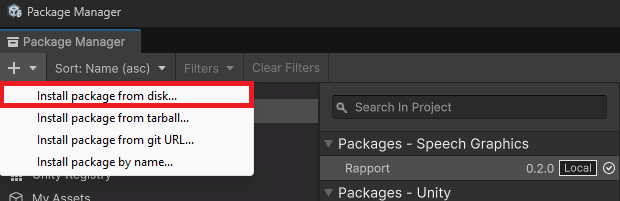
Open the Unity package manager, and install the package.json from disk
-
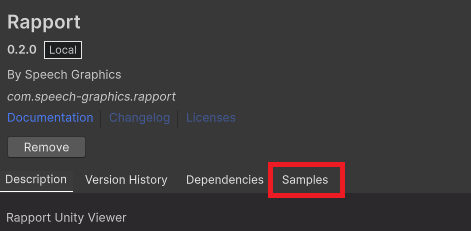
To import samples: Click the “samples” tab. Next click the "Import" button to import the example scenes and scripts into your project.
-
Open a Rapport Sample scene and run
⚠️Notes about project configuration
If you are using URP or HDRP: the sample character materials may appear pink. Please select the materials and go to Edit > Rendering > Materials > Convert Selected Built-in Materials to URP or HDRP.
If you are using the legacy Unity Input Manager (not the Input System package): You may need to replace the Input module component on the EventSystem game objects in the samples with the StandaloneInputModule